Design the room first, then set up your body position in one specific order: chair height for your elbows, then monitor height for your eyes, then keyboard and mouse for your wrists. Most people do it backwards, starting with whatever desk they own. That sequence is why neck, wrist and eye problems are so common in home offices — and why a $30 footrest and a $26 monitor riser fix more than a $600 chair does.
This is general setup guidance, not medical advice. If you have persistent pain, see a professional.
How to design a home office: start with the room, not the furniture
Before anything gets bought, three decisions about the space itself set the ceiling on how good the office can be.
Where the desk faces relative to the window. A desk directly facing a window puts bright light behind your screen, which makes your eyes fight the contrast. A desk with its back to a window puts the window’s reflection on your monitor. The position that works for most people is desk perpendicular to the window, so daylight arrives from the side.
Where you sit relative to the door. Facing the door with your back to a solid wall is more comfortable to work in than the reverse, for reasons that have nothing to do with productivity theory and everything to do with not being startled.
What is behind you on video calls. This is now a design constraint rather than an afterthought. A plain wall, a shelf, or a plant behind you reads better than a corridor or an unmade bed, and it is easier to plan than to fix.
If you are converting part of a room rather than using a whole one, a closet conversion is the highest-value option in a small home — a desk surface, a shelf above, and a light removes an entire desk from the floor plan.
For an office inside a multipurpose room, use our small-house layout and improvement ideas. Check our beginner DIY project guide before planning simple shelving or finishing work yourself.
How to design a home office around your body, in order
This is the sequence, and the order is the whole point. Everything else in how to design a home office is downstream of getting these four steps in the right order.
Most home offices fail because they start with the desk and chair that were already there rather than working out the right measurements first. Fix the sequence and most problems disappear before you buy anything.
1. Chair height, set by your elbows
This is the anchor for everything else.
Sit with your hands resting on the desk. Your elbows should be at roughly 90 degrees with your shoulders relaxed — not hunched up, not dangling. Adjust the chair until that is true.
Then check three more things:
- Seat depth: two to three inches between the back of your knees and the front edge of the seat. Less restricts circulation; more removes thigh support.
- Lumbar support: positioned into the natural curve of your lower back. Gentle pressure, not a forced arch. No adjustable lumbar? A $20–$30 cushion does the job.
- Armrests: set so your shoulders stay relaxed and elbows are lightly supported.
2. Feet, and the trap almost everyone falls into
After setting chair height for your elbows, your feet may no longer reach the floor. Standard desks are around 29 to 30 inches high, which is too tall for a lot of people.
Do not lower the chair to reach the floor. That breaks the elbow angle you just set, and the elbow angle is the anchor.
Add a footrest instead. Feet flat, knees at roughly 90 degrees, thighs parallel to the floor. A footrest costs around $30 and solves the single most common ergonomic failure in home offices.
3. Monitor, set by your eyes
Distance: sit normally and extend your arm. Your fingertips should nearly touch the screen — roughly 20 to 26 inches depending on monitor size.
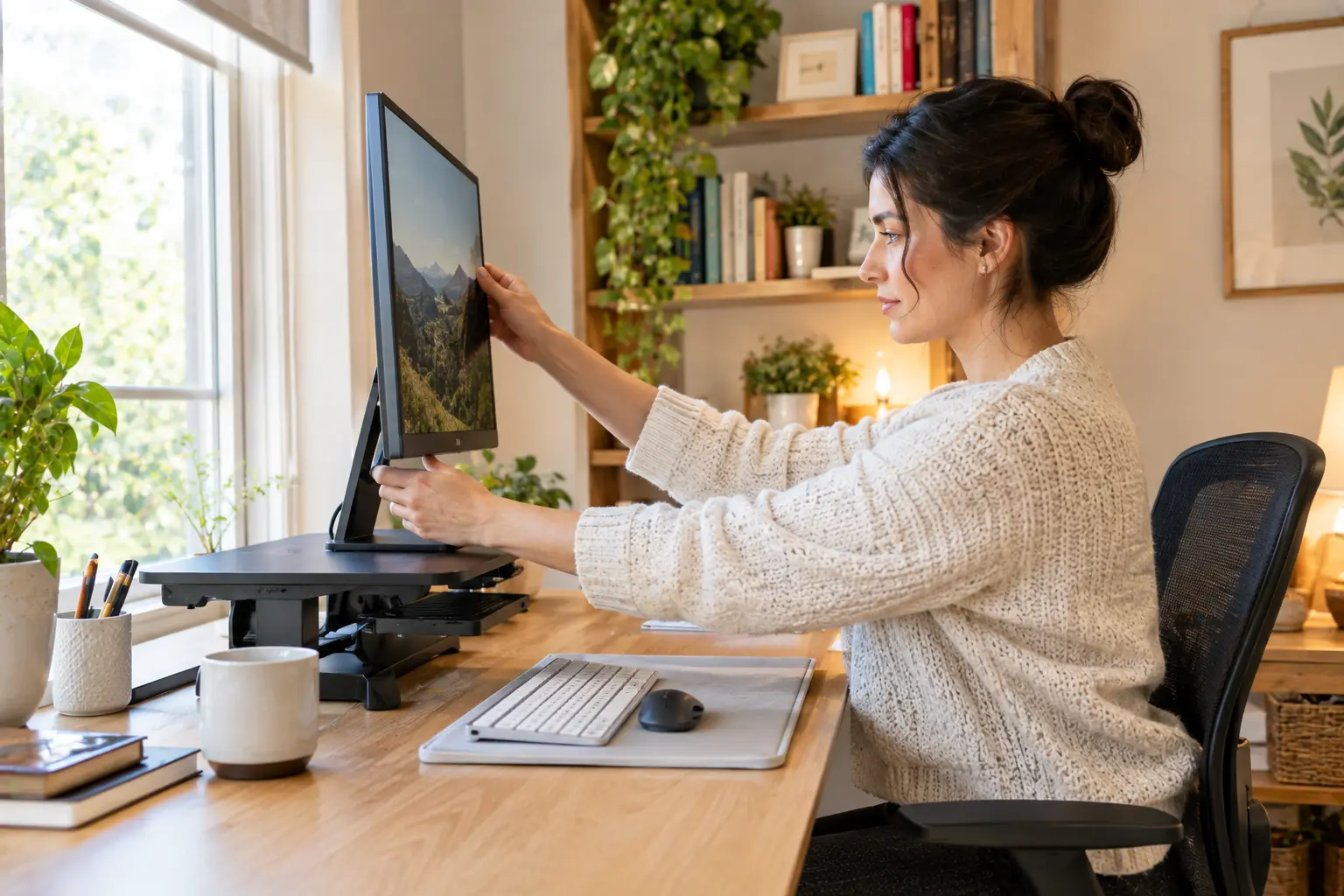
Height: the top of the monitor at or slightly below eye level when sitting upright, so your line of sight lands about one-third down from the top of the screen. That produces a slightly downward gaze, which is the most relaxed eye position.
A monitor sitting directly on a desk is almost always too low. A riser costs about $26. A monitor arm costs more and lets you adjust in seconds, which matters if you switch between sitting and standing.
Tilt: minimal — around 10 to 15 degrees back from vertical.
Two monitors: primary directly in front of you at eye level, secondary angled about 30 degrees to the side. Your head should not have to twist more than 30 degrees to see any screen.
4. Keyboard and mouse, set by your wrists
With the chair and monitor right, the keyboard goes at elbow height with your wrists straight and forearms roughly parallel to the floor. The mouse sits at the same height, close enough that you are not reaching.
A laptop cannot satisfy both rules at once. If the screen is at eye level, the keyboard is too high; if the keyboard is right, the screen is too low. Working full days on a laptop means adding an external keyboard and mouse, and raising the laptop — or the setup is compromised by design.
Lighting, where most home offices fail
Lighting is the most underestimated element and the cheapest to get right.
Layer it. Ambient room light plus focused task light on the work surface. A single overhead fixture flattens the room, throws shadows onto your desk and reflects off the screen.
Position the desk lamp to the side and slightly behind the monitor, pointing at the work surface rather than at you or the screen.
Use warm-white bulbs, roughly 2700K to 3000K, for task lighting. This reduces eye strain compared with the blue-tinted lighting common in commercial offices.
Hunt the glare. Sit at your desk and look at the screen with it switched off. Anything you can see reflected in it is a glare source: a window, a lamp, a light-colored wall behind you. Move the source, move the desk, or add blinds.
Sound, storage and cables
Three practical items that separate a workable office from a photogenic one.
Acoustics. Hard floors, bare walls and a window make a room that echoes on every call. A rug, curtains and a bookshelf with actual books in it do more for call quality than any microphone upgrade.
Storage within arm’s reach. Everything you use daily should be reachable without standing. Everything else can be across the room, which is a feature rather than a compromise — it forces movement.
Cable management. Not aesthetics. A trailing cable under a desk is what stops you moving the chair freely, and a rolling chair over a cable is how monitors come off desks.
What to buy, and what not to
The honest version, given that most published home office setup guides are written by companies selling desks and chairs.
| Fix | Cost | Solves |
|---|---|---|
| Footrest | ~$30 | Feet not flat after correct chair height |
| Monitor riser | ~$26 | Monitor too low, neck strain |
| Lumbar cushion | $20–$30 | Chair with no lumbar adjustment |
| External keyboard and mouse | Varies | Laptop compromise |
| Desk lamp, warm white | Varies | Overhead-only lighting |
| Adjustable chair | Several hundred | Long-term comfort, once the basics are fixed |
| Height-adjustable desk | Several hundred+ | Posture variety, not posture correction |
Raising your monitor, adjusting your chair and moving your keyboard to elbow height are free. Do those first and reassess. A dedicated ergonomic chair is not a prerequisite for a correct setup — a footrest and a lumbar cushion address the two most common seated posture failures for a fraction of the cost.
The thing no setup can fix
Move for at least five minutes every hour. Stand up, walk, change position.
No calibration compensates for sustained static posture across a full working day. The best-configured desk in the world still has you in one position for eight hours if you let it.
This is also the strongest argument for a height-adjustable desk, and it is a different argument from the one usually made. The value is not standing instead of sitting. It is being able to change, easily enough that you actually do.
A note on why this matters more now
Home offices stopped being temporary. Robert Half data shows employers offering hybrid schedules rose from 15% to 24% over two years to Q2 2025, and job seekers rank flexible arrangements among their top priorities.
That makes a home office an extension of a workplace rather than a corner of a spare room, which is a reasonable case for spending a weekend and a few hundred dollars getting it right.
See our guide to home improvement ideas for small houses if the office has to share a room, and our beginner DIY project guide for the shelving and closet conversion work.
FAQ
What is the correct desk height for a home office?
There is no universal correct height — the correct position is elbows at roughly 90 degrees with shoulders relaxed when your hands rest on the desk. Standard desks are 29 to 30 inches, which is too tall for many people. Raise the chair to fix the elbow angle, then add a footrest so your feet stay flat.
How high should my monitor be?
The top of the screen at or slightly below eye level when sitting upright, with your line of sight landing about a third down from the top. Distance is roughly 20 to 26 inches — extend your arm and your fingertips should nearly touch the screen. Tilt it 10 to 15 degrees back.
Where should I put my desk in relation to the window?
Perpendicular to the window, so daylight comes from the side. Facing the window puts bright light behind your screen and forces your eyes to fight the contrast. Backing onto it puts reflections on your monitor. If neither is avoidable, adjustable blinds solve most of it.
Do I need an expensive ergonomic chair?
Not to get the setup right. A footrest and a lumbar cushion address the two most common posture failures at a fraction of the cost, and adjusting chair height, monitor height and keyboard position costs nothing. A good chair is worth having for long-term comfort, but it is not the first purchase.
How do I set up a home office if I only use a laptop?
Add an external keyboard and mouse and raise the laptop so the screen reaches eye level. A laptop alone cannot put the screen and the keyboard in the right place at the same time, which is why extended laptop-only work produces neck and wrist strain.
What lighting is best for a home office?
Layered: ambient room lighting plus task lighting on the work surface, rather than a single overhead fixture. Use warm-white bulbs around 2700K to 3000K for the task light, and position it to the side and slightly behind the monitor so it lights the desk without reflecting off the screen.